

Introduction to Google Search Console
In the dynamic digital landscape, commanding a robust online presence is no longer just an added advantage, but a critical necessity, especially for burgeoning businesses like yours in Cardiff. Among the monumental jumble of SEO elements to master, one potent tool stands out as indispensable for any business seeking digital prominence – the Google Search Console. But what is this tool, and why should it matter to your business?
What is Google Search Console?
Google Search Console, previously known as Google Webmaster Tools, is a free web service designed by Google. It serves as a control center for understanding how Google views your website, offering critical insights into your site’s performance, optimization, and potential issues that may impact its presence in search results. This knowledge is extremely valuable, effectively serving as a compass guiding your business to SEO success.
Why is Google Search Console Important for SEO?
The ever-evolving SEO realm can feel like a complex labyrinth without a map. Google Search Console not only provides this map but also illuminates the path leading to improved visibility on Google’s search engine results pages (SERPs). Its wealth of tools offer a panoramic view of your website’s health, spotlighting potential obstacles that could hinder your Google rankings.
Think of Google Search Console as the pulse of your SEO efforts. Monitoring it closely ensures your site continues to perform optimally, generating valuable impressions, clicks, and leads. It essentially empowers you to make your website more Google-friendly, directly influencing the rankings, traffic, and conversions that your organisation strives to augment.
So, whether you’re a small business owner just setting foot in the digital space or a seasoned marketer aiming to optimize your strategies, understanding and effectively leveraging Google Search Console is paramount to your SEO achievements.
Here are a few crucial reasons why Google Search Console is important for SEO:
- Monitor indexing and crawling: You can keep track of how Google discovers and indexes your website’s pages.
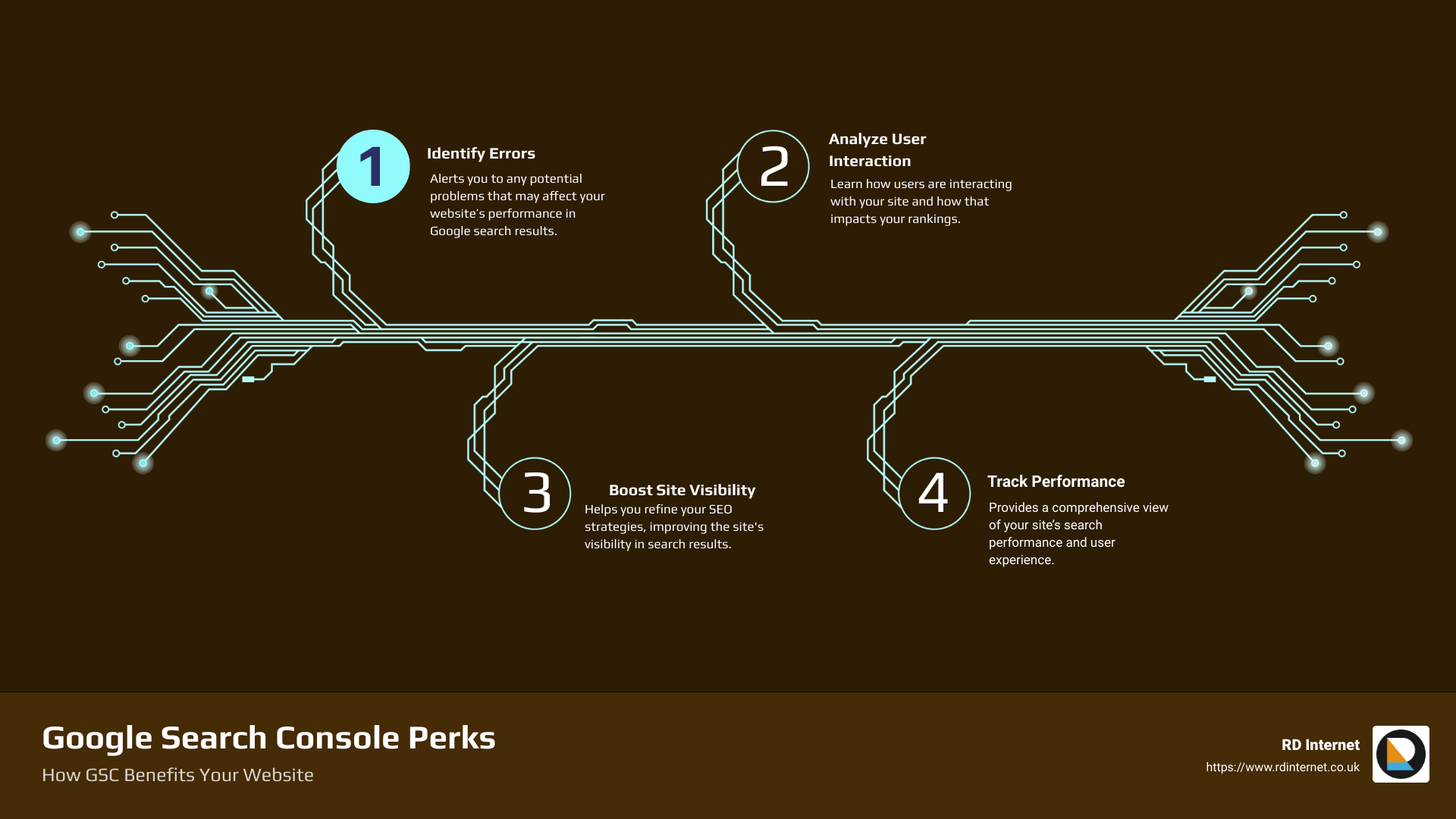
- Identify and fix errors: It alerts you to any potential problems that may affect your website’s performance in Google search results.
- Understand user interactions: Learn how users are interacting with your site and how that impacts your rankings.
- Improve site visibility: It helps you refine your SEO strategies, improving the site’s visibility.
- Track your site’s performance: Get a comprehensive view of your site’s search performance and user experience.
To get a better grip on the potential benefits and how to leverage Google Search Console, let’s dive into the various facets of this crucial tool in our subsequent sections.
How to Access and Set Up Google Search Console
Now that we’ve explored what Google Search Console is and why it’s crucial for SEO, let’s move to the practical part – how to access and set up your Google Search Console. Whether you’re a seasoned digital marketer or a business owner venturing into SEO, understanding how to effectively navigate and utilize this tool is key to your online success.
Steps to Sign into Google Search Console
Accessing Google Search Console is pretty straightforward. All you need is a Google account and the URL of the website you want to manage. Follow these steps:
- Visit the Google Search Console Homepage.
- Click the ‘Start Now’ button on the Homepage.
- Enter your Google Account in the Email field, followed by your password in the Password field.
- Click Sign in.
If you encounter any issues, ensure you’re using the correct Google Account associated with your website.
How to Turn on Google Search Console
After signing in, you might wonder how to activate the Google Search Console for users in your organization or for your website. Here are the steps:
- Sign in to your Google Admin console.
- In the Admin console, go to Menu Apps.
- Click Google Search Console.
- Click Service status.
- To turn the service on or off for everyone in your organization, click On for everyone or Off for everyone, respectively, then click Save.
With these steps, you can easily control who has access to your Google Search Console, ensuring the right people have the tools they need for effective SEO management.
How to Create a Google Search Console Account
If you’re new to Google Search Console, setting up an account is your first step. The process is straightforward:
- Visit the Google Search Console Homepage, and click “Start Now.”
- Sign in with your Google account if you’re not already logged in.
- Enter your website URL in the URL prefix field and click “Continue.”
- Verify your website ownership through one of the available methods (HTML file upload, meta tag, Google Analytics tracking code, or Google Tag Manager).
Once verified, you’ll have access to your Google Search Console account and can start benefiting from the insights this tool provides.
Navigating and setting up Google Search Console may seem daunting at first, but with these steps, we hope to have simplified the process for you. As we delve deeper into the subsequent sections, you’ll learn more about how to leverage this tool to boost your SEO strategy.
Understanding Google Search Console Tools and Reports
Now that you have set up Google Search Console, it’s time to explore its powerful suite of tools and reports. These resources are designed to provide you with unparalleled insights into your website’s performance on Google Search, helping you make informed decisions and strategic optimizations. Let’s take a closer look.
Overview of Search Console Tools and Reports
Google Search Console is a treasure trove of data and analytics about your website. It lets you measure your site’s search traffic and performance, detect any issues, and enhance your site’s visibility in Google Search results.
The tools and reports can be divided into several categories. Search Analytics helps you understand which queries are driving traffic to your site and how your site is performing in terms of clicks, impressions, and position on Google Search. The Sitemap and URL Submission tools allow you to guide Google’s crawlers to your site’s content, ensuring the freshest views of your site are indexed.
One of the standout features is the Email Alert system. This notifies you when Google identifies issues with your site, providing actionable insights to fix them. Lastly, the URL Inspection Tool gives you detailed crawl, index, and serving information about your pages, straight from Google’s index.
How to Use Search Analytics in Google Search Console
Search Analytics is a key component of Google Search Console. This tool lets you see which search queries are bringing users to your site, allowing you to optimize your content strategy and improve your search engine rankings.
To access Search Analytics, navigate to the ‘Performance’ tab in the Google Search Console dashboard. Here, you can view detailed data about your site’s clicks, impressions, click-through rate (CTR), and average position. This information can help you understand what’s working well and where you might need to make improvements.
How to Submit Sitemaps and Individual URLs for Crawling
Submitting your sitemaps and individual URLs for crawling is a crucial step in ensuring Google has the most current view of your site. In the ‘Sitemaps’ tab, you can input the URL of your sitemap, and Google will crawl it, learning about the structure of your site and the content you offer.
Moreover, you can submit individual URLs for crawling via the ‘URL Inspection’ tool. This is particularly useful if you’ve recently added or updated a page and want it to be indexed quickly.
Understanding Email Alerts from Google Search Console
Google Search Console’s email alerts are an invaluable tool for maintaining the health of your site. These alerts notify you when Google identifies issues on your site – whether they’re related to indexing, spam, or other problems.
By monitoring these notifications and addressing issues promptly, you can prevent potential damage to your search engine rankings and user experience.
Using the URL Inspection Tool for Detailed Crawl, Index, and Serving Information
The URL Inspection Tool in Google Search Console provides a wealth of information about how Google sees your pages. By inputting a URL into this tool, you can view information about when the URL was last crawled, its indexing status, and any enhancements or issues detected.
This tool is a must-use for anyone serious about SEO. It enables you to understand how Google interacts with your pages, helping you identify areas for improvement, fix issues, and ultimately, enhance your visibility in Google Search results.
In the next section, we’ll dive into how you can use these tools and reports to optimize your website and improve your SEO strategy. Stay tuned!
Optimizing Your Website with Google Search Console
Having a robust SEO strategy involves more than just understanding your website performance. It requires continuous optimization to ensure your site is not only user-friendly but also Google-friendly. This is where Google Search Console comes into play.
How to Use Search Console Training to Optimize Search Appearance
Google Search Console isn’t just a tool—it’s also a learning platform. With the Search Console Training, you can learn how to maximize your search appearance on Google and drive organic traffic to your website. This feature offers you insights into how to verify site ownership, understand performance reports, and utilize the URL Inspection Tool. By harnessing these features, you can optimize your search appearance and rank higher in Google search results.
However, keep in mind that mastering these tools takes time and practice. Don’t be disheartened if you don’t see results immediately. Remember that SEO is a marathon, not a sprint, and consistent effort will yield impressive results in the long run.
Using Additional Tools for Optimizing AMP Pages, Testing Mobile Usability, and Monitoring Rich Results
Google Search Console also provides additional tools that help you optimize your AMP pages, test mobile usability, and monitor rich results. With the AMP feature, you can monitor, test, and track your AMP pages, ensuring they’re performing optimally. Our Mobile Usability tool provides custom reports that help you test and improve your site’s mobile experience.
Monitoring rich results is another critical aspect of website optimization. Your structured data, such as recipes or job listings, can appear as rich results on Google Search. Google Search Console reports enable you to monitor and improve these rich results, enhancing your site’s visibility and click-through rates.
How to Make Your Site Shine in Google Search Results with Google Search Console
Google Search Console is your secret weapon to make your site shine in Google Search results. With the right usage, you can increase your site’s visibility, improve its performance, and enhance the user experience.
Remember to submit your sitemaps and individual URLs for crawling to ensure Google has the most up-to-date view of your site. When Google identifies issues on your site, you’ll receive email alerts. Make sure to fix these issues promptly and inform Google once they’ve been resolved. This proactive approach will help you maintain a healthy, Google-friendly website.
To sum up, Google Search Console is not just a tool—it’s your partner in your SEO journey. By using it effectively, you can optimize your site, improve your visibility, and stay ahead of the competition. So dive in, explore its various features, and watch your website shine in Google search results!
Case Studies: Success Stories with Google Search Console
Nothing speaks louder than success. Let’s dive into some real-life case studies that showcase the potential of effectively using Google Search Console in your SEO strategy.
Saramin’s Success Story: Doubling Organic Search Traffic and Increasing Sign-ups
Saramin, a leading job platform in Korea, stands as a testament to the power of Google Search Console in increasing organic search traffic. After focusing on mobile-friendly indexing and enhancing their structured data, Saramin experienced a twofold increase in their organic search traffic. But the benefits didn’t stop there. They also saw a 93% increase in the number of new sign-ups and a 9% increase in conversion rates. Their success story underscores the role of Google Search Console in not just driving traffic but also enhancing the quality of the traffic.
MX Player’s Success Story: Tripling Traffic and Doubling Video Page Views
MX Player, a popular video streaming and player app, is another shining example. They adopted Video structured data and followed best practices recommended by Google Search Console. The results? They experienced over 3x growth in traffic from Google, along with a 100% increase in video page views per user session from organic search traffic. MX Player’s case reinforces the effectiveness of structured data along with Google Search Console for a dramatic uplift in organic traffic.
ZipRecruiter’s Success Story: Higher Conversion Rate with JobPosting Structured Data
ZipRecruiter, a leading online employment marketplace, leveraged the power of Google Search Console to significantly boost their conversion rate. After the launch of JobPosting structured data, Google organic traffic to ZipRecruiter’s job pages converted at a rate three times higher than organic traffic from other search engines. This result demonstrates the potential of structured data and Google Search Console in enhancing conversion rates.
These success stories bear testimony to the potential of Google Search Console in boosting organic search traffic, enhancing conversion rates, and ultimately driving business growth. At RD Internet, we leverage these insights to deliver SEO strategies that not just drive traffic but also convert. Our focus is on helping our clients, like the small business owner in Cardiff, compete effectively in the digital space and achieve their business goals.
Troubleshooting Common Issues with Google Search Console
Just like any powerful tool, Google Search Console can occasionally throw up a few hiccups. But fear not, because as your digital guide, we at RD Internet are here to help you navigate any obstacles you may encounter along your SEO journey.
How to Fix Indexing Problems with Google Search Console
Indexing issues can be a major roadblock in your SEO efforts. If Google can’t index your site properly, it won’t appear in search results, effectively making your website invisible to potential customers. Google Search Console provides a valuable lifeline in this situation, allowing us to diagnose and resolve these issues effectively.
One of the most common indexing problems is a ‘403 Forbidden’ error, which occurs when Googlebot is denied access to a page. You can resolve this issue by updating the robots.txt file to stop Google from trying to crawl these pages. By addressing this issue, we free up crawling resources for Googlebot to index the rest of your website.
The coverage report in Google Search Console is a powerful tool that helps diagnose crawling issues and fix them. This is just one of the ways we ensure that your website is fully visible and optimized for Google’s search engine algorithms.
How to Monitor and Resolve Server Errors and Site Load Issues
Server errors and site load issues can significantly impact your website’s performance and user experience. Thankfully, Google Search Console can help monitor and resolve these issues.
The coverage report can alert you to 404 and 500 series error responses. A 404 server response indicates a request for a webpage that doesn’t exist. Rather than being a problem with your site, this often occurs because another site or an internal link is pointing to a non-existent page. Using the Inspect URL tool, you can see what pages or sitemaps are referring to the non-existent page and fix or redirect the links as necessary.
How to Handle Security Issues with Google Search Console
Cybersecurity is a priority for all businesses, and Google Search Console offers tools to help protect your website from security threats. By receiving email alerts when Google identifies issues on your site, you can proactively address these problems and ensure that your website remains a safe and secure destination for your users.
In a nutshell, Google Search Console is not just a tool for optimizing your website’s performance in search results. It also acts as a troubleshooter, helping resolve common issues that can hinder your site’s performance and security.
As your SEO partner, we at RD Internet are committed to leveraging all the capabilities of Google Search Console to ensure your website is fully optimized, secure, and ready to deliver a stellar user experience. By proactively addressing any issues that arise, we empower you, the small business owner in Cardiff, to compete effectively in the digital space and achieve your business goals.
Conclusion: Leveraging Google Search Console for SEO Success
With the information and insights you’ve gained, you now have a powerful toolset at your disposal. Google Search Console is more than just a technical tool—it’s a strategic asset that can help you understand your website’s performance, identify opportunities for improvement, and ultimately, make your business stand out in Google Search results.
Recap of Key Points
Let’s take a quick refresher of what we’ve covered:
- Google Search Console is an invaluable resource for understanding how Google views your website, offering insights into organic search traffic, mobile usability, and search queries that lead users to your site.
- The Search Console tools and reports enable you to measure site traffic, performance, and fix issues to enhance your site’s visibility in search results.
- You can optimize your content with Search Analytics, submit sitemaps and individual URLs for crawling, and even receive email alerts when Google identifies issues on your site.
- Google Search Console can help diagnose and fix indexing problems, monitor and resolve server errors and site load issues, and handle security issues.
- By using Google Search Console, businesses like Saramin, MX Player, and ZipRecruiter have seen significant improvements in organic traffic, conversion rates, and user engagement.
Final Thoughts and Tips for Mastering Google Search Console
At RD Internet, we believe that mastering Google Search Console is not an overnight process but a continuous journey of learning, adapting, and optimizing. Here are a few final tips to help you along the way:
- Be proactive: Regularly check your Google Search Console for any potential issues, updates or notifications. Timely action can save a lot of trouble down the line.
- Stay updated: Google frequently updates its guidelines and algorithms. Stay informed and adjust your strategies accordingly.
- Leverage learning resources: Google offers a wealth of resources like Search Console Training to help you optimize your search appearance and understand how Google Search sees your pages. Make the most of these resources.
- Seek expert help: If you’re unsure or overwhelmed, don’t hesitate to seek professional assistance. At RD Internet, we’re here to help you navigate the complexities of SEO and deliver results that matter.
Remember, SEO is not just about getting more clicks—it’s about attracting the right clicks. By effectively utilizing Google Search Console, you can gain crucial insights, troubleshoot issues, and continuously refine your strategies, propelling your small business in Cardiff towards online success.

In the world of digital marketing, visibility truly is everything. And with the power of Google Search Console, you’re well on your way to making your business shine brighter in Google Search results.
Recent Comments