
The Definitive Guide to Google My Business

Introduction to Google My Business
Do you feel like your business is missing out on critical online visibility opportunities? As a small business owner, it can seem like a daunting task to stand out from the crowd in the vast digital landscape. We’ve all been there, struggling to climb search engine rankings and attract more customers. This is where Google My Business (GMB) comes in, your digital magic wand in the cutthroat world of local search engine optimization (SEO).
Google My Business is a free tool, specifically designed to help businesses like yours manage their online presence across Google’s multitude of platforms. It’s the control room for your digital storefront, giving you the steering wheel to determine how your business appears on the world’s most popular search platform. The power to customize your business’s description, category, operating hours, along with showcasing photos, videos, and customer reviews, rests right within your fingertips. Not to mention, the valuable analytics that GBM can provide on customer behaviour.
However, harnessing Google My Business to its full potential requires more than just creating a profile. To truly make your business shine brightly on Google, it’s essential to regularly update and actively engage with its range of features. From sharing updates and interacting directly with your audience through reviews, and Q&A, GBM provides a plethora of opportunities to keep your business fresh, appealing, and a real magnet for attracting customers.
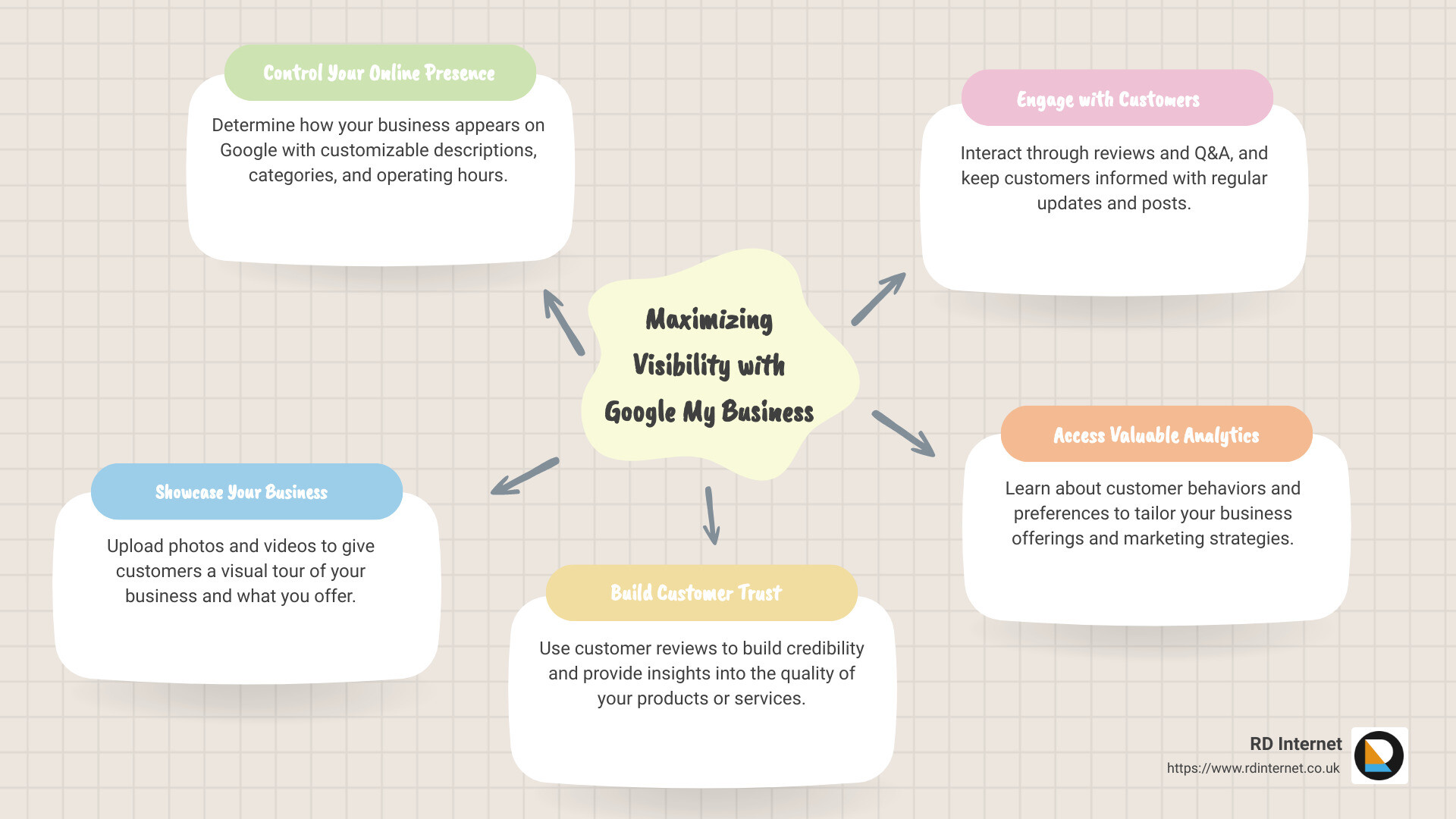
Here are some brief pointers demonstrating the importance of Google My Business:
- Digital storefront: It allows you to present your business online in the best light possible, controlling how your customers perceive you.
- SEO benefit: It plays a pivotal role in boosting your local SEO, making your business more visible on Google’s search engine and Google Maps.
- Community engagement: It enables you to interact directly with customers through reviews and Q&A, creating a sense of community and loyalty.
- Insights: It provides valuable analytic data about your customers, from how they find you to how they interact with your digital presence.
Throughout this guide, we’ll help you navigate the steps to set up and optimize your Google My Business account, and maximize its role in your digital marketing strategy. No technical jargon, no complex procedures; just a straightforward, step-by-step guide to help you dominate your digital space with Google My Business.
Understanding the Importance of Google My Business
Google My Business is an essential tool for any business looking to enhance their online presence and reach more customers. But why is Google My Business so crucial for your business? Let’s delve into this a little further.
Getting Discovered in Google Search and Maps
Google My Business plays a pivotal role in local Search Engine Optimization (SEO). When your profile is fully optimized, it increases your chances of showing up in Google’s Local Pack, Local Finder, Google Maps, and organic rankings in general. For a business, this increased visibility can lead to more website visits, calls, and ultimately, more customers.
Essentially, Google My Business is your business’s digital storefront on the world’s most popular search engine. It gives potential customers a quick snapshot of who you are, what you do, and why they should choose you.
Managing Online Business Information
Google My Business gives you the reins to manage your online business information across various Google platforms. You can showcase your operating hours present photos, videos, and customer reviews all in one platform. This tool also provides valuable insights into customer behaviour, helping you understand how people find your business and interact with your listing.
Moreover, by keeping your Name, Address, and Phone number (NAP) consistent across all your online platforms, Google recognizes this consistency and rewards your business with higher search rankings, boosting your online visibility significantly.
Building Trust with Google Reviews
The power of Google My Business extends beyond just getting discovered in search results. This tool also helps you build trust with potential customers. Having a Google My Business profile lends credibility to your business and allows you to engage directly with customers through reviews and Q&A, fostering a sense of community and loyalty.
Reviews and responses are a crucial part of building trust and maintaining a good online reputation. By keeping a steady stream of reviews coming in and responding to them, you signal to Google that you are an active business. These reviews and responses appear on your business profile, further enhancing your credibility and trustworthiness.
In conclusion, Google My Business is more than just a tool for visibility; it’s a platform for engagement, trust-building, and managing your online presence effectively. At RD Internet, we understand the importance of leveraging this tool to its full potential. That’s why we’re here to guide you every step of the way in setting up and optimizing your Google My Business profile.
Setting Up Your Google My Business Account
Creating a Google My Business account is your first step towards a more visible online presence. Here’s how to get started:
Logging in to Google Business Profile
To start, you’ll need to log in to your Google account. If you don’t have one yet, head over to the Google Accounts page to create one. Once you’re logged in, proceed to Google My Business to begin the process.
Adding Your Business Information
Google will prompt you to enter your business name. Make sure it matches the name you use in your offline activities for consistency. After entering your business name, click Continue to proceed.
Selecting Your Business Type
Google My Business caters to a variety of business types. Whether you have a physical location, offer in-person services, or sell directly to customers online, Google has got you covered. You can select all options that apply to your business, and once you’re done, click Next.
Entering Your Location and/or Location Targeting
Google needs to know where your business is based. If you’re an online-only business, you’ll be asked for your website. For both online and offline businesses, you’ll need to enter the country where your business is registered. If you have a physical location, you’ll enter that instead. You may also be asked to position a marker on a map for accuracy. If your business offers in-person services or deliveries but doesn’t have a physical location, you can list your service areas. Once you’ve filled in these details, click Next.
Adding Contact Information
Next, you’ll need to add your contact information. This could be a website, a phone number, or both. This information will be publicly viewable on your profile, and it’s an essential means for customers to reach out to you.
Verifying Your Business
Verification is a crucial step in setting up your Google My Business account. Google requires you to enter a mailing address to verify your business, even if you don’t have a physical location. You can choose to receive a verification code via email or opt for a more exciting option of recording a short video showing your business in action. Once you’ve entered your verification code, click Verify to complete the process.
And there you have it! You’ve successfully set up your Google My Business account. But remember, setting up your account is just the beginning. To truly harness the power of Google My Business, you’ll need to engage in continuous optimization, which we’ll dive into in the next section.
Optimizing Your Google My Business Profile
Once your Google My Business account is up and running, the next step is to optimize your profile. This will maximize your visibility and attract more potential customers. Here, we’ll walk you through some key strategies for enhancing your Google My Business profile.
Using Special Attributes
Google My Business allows businesses to add special attributes to their profiles. These attributes can range from “women-owned” and “2SLGBTQI+ friendly” to practical features like “free Wi-Fi” or “wheelchair accessible”. By adding relevant attributes, you’re providing potential customers with more detailed information about your business and its unique characteristics. To edit these labels, visit your dashboard, click Edit profile, and scroll down to the More section.
Adding Real Images of Your Business
High-quality, authentic photos of your business can generate interest and enhance your online presence. These images help potential customers visualize your business, products, or services. According to Google, businesses with photos receive more requests for directions and more clicks to their websites. You can add a cover photo and additional images from your Google Business Profile dashboard. Consider hiring a professional photographer or running a photo contest among your customers to gather a variety of high-quality images.
Adding a Custom Description
Your Google My Business profile allows you to add a custom description of up to 750 words. This description appears across Google services, including search and Maps. Use this space to showcase what’s unique about your business, rather than merely stating what you do.
Including Keywords in Your Profile
Incorporating relevant keywords into your profile can increase the likelihood of people finding your business. Start with the keywords people are already using to find you, which you can find in Google Analytics reports. Ensure you naturally weave these keywords into your sentences to avoid keyword stuffing, which can actually harm your rankings.
Encouraging and Answering Reviews
Customer reviews play a crucial role in building your online reputation and influencing prospective customers. Positive and negative feedback is valuable, and responding promptly shows that you value customer feedback. Encourage your customers to leave reviews and make sure to promptly respond to them.
Verifying Your Street Address
Ensure that your business location is accurate. This helps customers find your physical location and improves your local SEO.
Regularly Updating Your Information
Regularly updating your information, such as business hours, contact details, and services, is essential. This prevents confusion and ensures that your customers always have the most accurate and up-to-date information.
Importing Your Products
If you sell products, you can import them directly to your Google My Business profile. This allows potential customers to see what you sell, increasing the likelihood of them visiting your store or website.
By implementing these strategies, you can optimize your Google My Business profile and increase your online visibility. At RD Internet, we understand the importance of an optimized Google My Business profile and can help you every step of the way.
Managing Your Google My Business Account
Once your Google My Business (GMB) profile is set up and optimized, the next crucial step is managing it effectively. This involves several important tasks like claiming ownership of your business profile, engaging with customers, responding to reviews, answering questions, enabling direct messaging, publishing posts, and providing additional details about your business.
Claiming Ownership of Your Business Profile
Claiming ownership of your business profile on Google is the first step to managing your GMB account. As we’ve previously discussed, creating a Business Profile does not automatically grant you management rights. To gain control over your business listing, you must create a separate Google My Business account and claim ownership of your Business Profile. This allows you to manage and edit your business information, interact with customers, and use the various free features offered by Google My Business to increase your visibility on Google.
Engaging with Customers
Engaging with your customers is a key part of effectively managing your GMB account. This can be done in several ways such as responding to reviews, answering questions, and enabling direct messaging. By doing so, you can create a two-way conversation with your audience, building a sense of community and loyalty among your customers.
Responding to Reviews
One of the most effective ways to engage with your customers is by responding to their reviews. Whether positive or negative, every review offers a chance for you to interact with your customers. Responding to positive reviews shows appreciation for your customers’ support and encourages others to leave their feedback. On the other hand, addressing negative reviews provides an opportunity to demonstrate your commitment to customer service and resolve any issues that may have arisen.
Answering Questions
Another great way to engage with your customers is by answering any questions they might have. This not only provides valuable information to your customers but also helps you build trust and establish your business as an authority in your industry.
Enabling Direct Messaging
Enabling direct messaging through your GMB account is yet another way to enhance customer engagement. This allows your customers to contact you directly, making it easier for them to get their questions answered or issues resolved.
Publishing Posts
Publishing posts on your GMB profile is a great way to keep your customers updated about your business. You can share updates, event announcements, special offers, and product launches directly on your GMB profile, similar to how you would on social media platforms like Facebook.
Providing Additional Details About Your Business
Finally, providing additional details about your business can help you stand out from your competitors. This could include special attributes, unique selling points, or any other information that can help potential customers understand your business better.
At RD Internet, we understand the importance of effectively managing your GMB account and are here to assist you every step of the way. From setting up your GMB account to optimizing and managing it, we can help you leverage this powerful tool to boost your online presence and reach your business goals.
Utilising Google My Business for Local SEO
In the digital space, particularly for small businesses, local SEO is a critical strategy to gain visibility and compete with larger competitors. Google My Business plays a pivotal role in local SEO, helping businesses to stand out in location-based searches. This portion of our guide will walk you through how to utilise Google My Business effectively for local SEO.
Incorporating Relevant Keywords
Keywords are the backbone of SEO, including local SEO. They help Google understand what your business is about and match it with relevant searches. When setting up your Google My Business profile, it’s important to include relevant keywords in your business description, services, and posts.
For instance, if you’re a bakery in Cardiff, you can include keywords like “Cardiff bakery,” “best pastries in Cardiff,” or “wedding cakes in Cardiff.” These keywords would help Google connect your business to people searching for these terms. However, remember to use keywords naturally and avoid stuffing them into your content, as it can negatively impact your SEO efforts.
Maintaining Quality Information
One of the primary goals of Google My Business is to provide accurate and up-to-date information about businesses to users. Maintaining quality information on your GMB profile is therefore crucial. This includes your business description, operating hours, contact information, and photos, among others.
As your business evolves, make sure to update your GMB profile accordingly. Regular updates not only help to keep your information accurate but also signal to Google that your business is active, which can improve your visibility on the search engine results page (SERP).
Building Trust Through Reviews and Regular Updates
Reviews are a significant part of your GMB profile and play a crucial role in building trust with potential customers. Encourage your customers to leave reviews and be sure to respond to them regularly. This not only fosters a sense of community and loyalty but also signals to Google that your business is active and engaged with its customers.
Regularly uploading photos and publishing posts to your GMB profile can also help to build trust. These updates provide potential customers with a glimpse into your business, its products or services, and its interactions with customers, which can go a long way in building trust and attracting more customers.
At RD Internet, we understand the importance of local SEO and are here to help you utilise Google My Business to improve your local visibility. From incorporating relevant keywords to maintaining quality information and building trust through reviews and regular updates, we can help you leverage this powerful tool to reach your local customers effectively.
Conclusion: Maximizing Visibility with Google My Business
Google My Business, now known as Google Business Profile, is a potent tool that every business owner should be utilizing. It’s more than just a platform for listing your business name, address, and hours of operation. When used effectively, it can significantly boost your local SEO, enhance your online visibility, foster customer engagement, and provide you with valuable insights about your customer’s behaviour.
Optimizing your Google My Business Profile isn’t just a one-time task; it’s an ongoing process. Regular updates, responding to reviews, and posting fresh content are some of the ways to keep your profile active and relevant. The more complete and accurate your information is, the more Google’s algorithms favor your business.
By now, you should have a solid understanding of how to set up, optimize, and manage your Google My Business account. But remember, the journey doesn’t end here. Google My Business is a dynamic platform that continually evolves, and as a business owner, you need to stay updated with these changes to maximize its full potential.
At RD Internet, we understand that as a small business owner, you may not have the time to keep up with the latest trends and updates in Google My Business. That’s where we come in. We specialize in optimizing Google My Business and using it as a tool to boost your online visibility and attract more customers to your business.
We can guide you through the complexities of the SEO maze and help you unleash the power of your Google My Business profile. We know how to leverage the features of Google My Business to optimize your profile and attract more customers. Our GMB optimization services are designed to help you stand out from your local competitors and attract more customers from location-based searches.
In conclusion, an optimized Google My Business profile isn’t just a digital signpost for your business; it’s a beacon that attracts potential customers to your doorstep. So don’t let this opportunity pass you by. Start optimizing your Google My Business profile today and watch your business grow. For more tips and advice, check out our other articles on SEO and digital marketing.

Recent Comments